Ask MixerMind
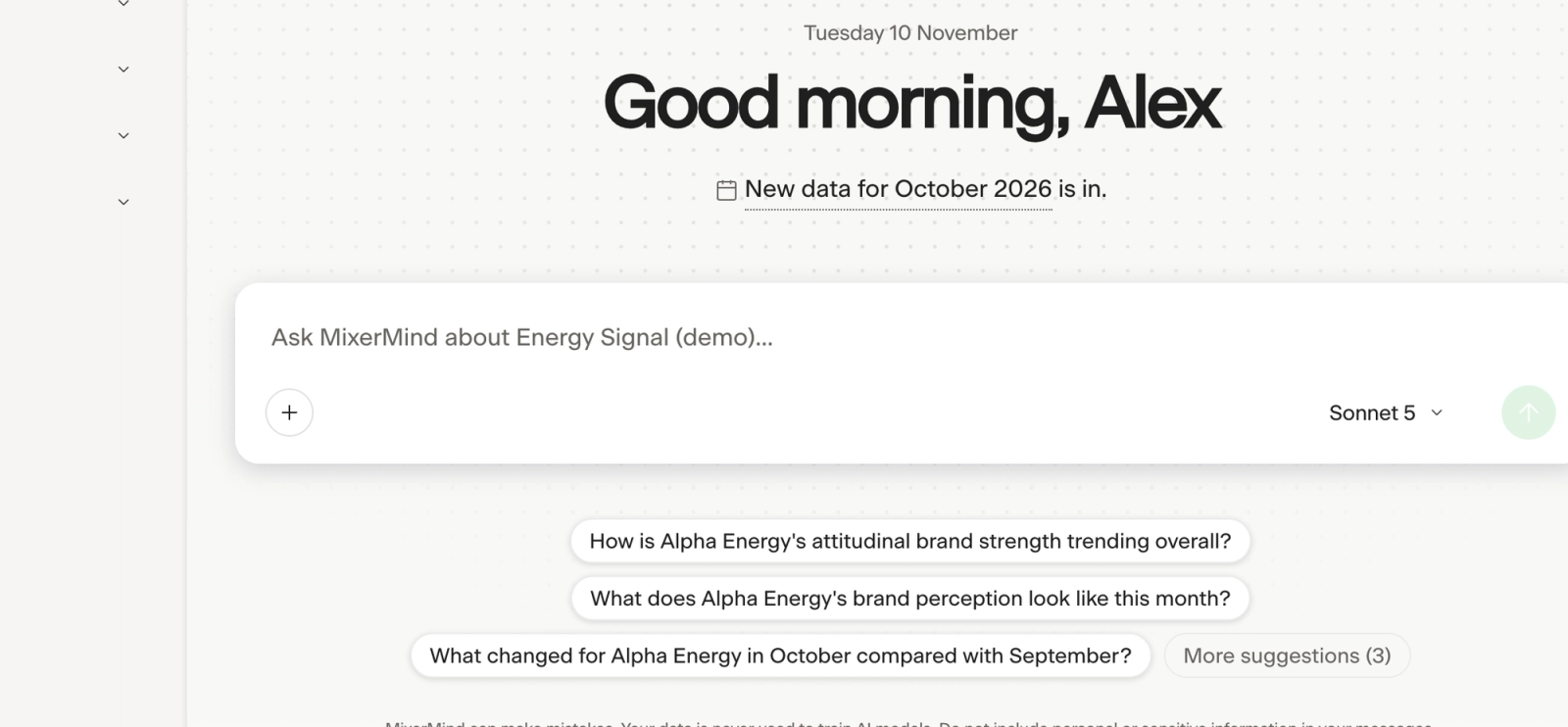
MixerMind is the AI analyst in the portal. Ask it about your data, attach your own files, choose how thorough it is, and pick up earlier conversations.
MixerMind answers questions about your Signal's data in plain language, with figures, tables and charts. It knows your filters and the page you are on, and it remembers the conversation, so you can ask follow-up questions.
Where to ask#
| Where | How |
|---|---|
| Home | Type in the box, or choose one of the suggested questions. |
| MixerMind in the left menu | Opens the chat. New conversation starts afresh, and your earlier conversations are listed under it. |
| A dashboard page | Use the box at the bottom of the page. The answer opens in a small panel. Open in chat continues the conversation in the full chat. |
| A KPI card | Open the card and choose Ask MixerMind about this. |
Ask good questions#
Name the metric, brand, segment and period when they matter, and say if you want a table or a chart. For example:
- How has our awareness developed over the last year?
- How are we doing against our competitors this quarter?
- What changed in October compared with September, and in which segments?
For ready-made questions, open the + menu next to the box and choose Inspiration.
Model and depth#
Below the box you can choose how MixerMind answers. Your defaults are in My Preferences, under MixerMind.
| Setting | Choices |
|---|---|
| Model | Claude Sonnet 5 is recommended: fast and accurate. Claude Opus 5 is the most thorough, for deep analysis and long reports, and slower. |
| Analysis depth | Concise, Detailed or Extensive. |
| Thinking | Standard or Deep. |
In My Preferences you can also let MixerMind search the web, choose the language of its answers, turn follow-up suggestions on or off, and hide the box on dashboard pages.
Tables and charts in answers#
A table in an answer can be copied, downloaded as CSV, shown as a chart, and downloaded as a chart image.
Attach your own files#
Open the + menu and choose Attach a file to add a report, a spreadsheet or a presentation. MixerMind reads it together with your Signal's data.
- Formats: Excel, CSV and TSV; Word, text and Markdown; PowerPoint; PDF; images. The old formats .xls, .doc and .ppt cannot be read: save them in the newer format first.
- Up to 5 files per conversation, each up to about 30 pages of text.
- Files are stored in the EU and are deleted with the conversation.
Earlier conversations#
Your conversations are listed under MixerMind in the left menu. Select one to continue it. To delete one, open its More menu and choose Remove.
MixerMind can also make slides, documents and pages. See Slides, documents and pages.
Last reviewed 9 November 2026